

One link, two links, five links: the day you cross that line, memory stops being a tracking system. You remember that the roundup post did “pretty well” and that the email promo was “fine,” but you couldn’t say which did better, let alone by how much. Once you have more than one link live, gut feel isn’t a shortcut anymore. It’s just a guess with confidence attached to it.
This matters because every link is competing for the same thing: your time. The hours you spend writing a new post, recording a video, or sending an email are hours you could have spent on a link that’s already converting. Without data, you can’t tell the difference between a link that needs more traffic and a link that’s dead regardless of traffic. You end up spreading effort evenly across everything, which is the same as spreading it evenly across nothing.
The three numbers that actually matter
Affiliate dashboards love to bury you in metrics. Impressions, unique visitors, session duration, bounce rate. Ignore almost all of it. Three numbers tell you nearly everything you need to make a decision.
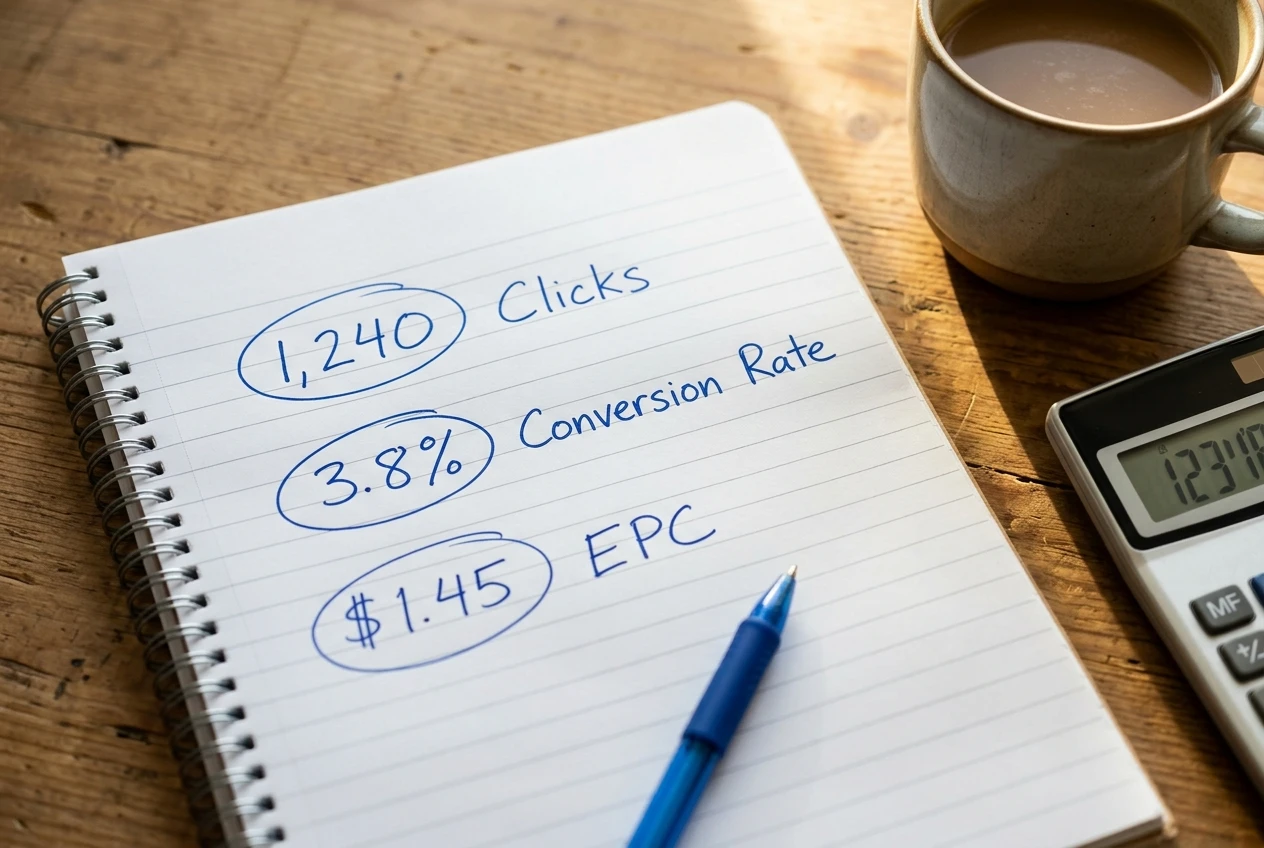
Clicks. How many people clicked the link. Not page views, not visits to the post, clicks on that specific link. This tells you whether your traffic is finding the link and whether your call to action is doing its job.
Conversion rate. Of the people who clicked, what percentage bought, signed up, or completed whatever action earns you a commission. This is the number that separates “nobody saw this” from “people saw it and said no.”
Earnings per click (EPC). Total commission earned divided by total clicks. This is the number that actually pays your bills, because it accounts for both how often people buy and how much they’re worth when they do. A link with a low conversion rate but a high-ticket commission can out-earn a link that converts constantly on pennies.
Everything else, the pretty charts, the referrer breakdowns, the device splits, is detail you can add once these three numbers tell you something is worth investigating further.
Tagging your links so you know exactly where a click came from
If every link you post is the same raw affiliate URL, you have no way of knowing whether a click came from your blog, your email list, or a comment you left somewhere. The fix is tagging: adding a short string to the end of each link that identifies its source.
Most affiliate networks support this through sub-IDs or custom tracking parameters, sometimes labelled “tracking ID,” “sub ID,” or “campaign ID” in your dashboard. You fill in a short tag, like blog-review-oct or email-newsletter-week3, and the network records which tag drove each click and each sale.

A workable tagging system needs three things baked into every tag:
- Where: the platform (blog, email, YouTube, Pinterest)
- What: the specific piece of content (the post title shortened, the video name)
- When: a date or batch reference, so you can compare the same content over time
So instead of one generic link, you might end up with blog-reviewpost-sept and email-launch-oct. Six months from now, when you’re deciding whether to write another review post or send another launch email, you’ll have actual numbers instead of memory.
Keep a plain list somewhere, a spreadsheet is fine, of every tag you’ve used and what it means. The tagging only works if you can still decode it later.
Setting up conversion tracking through networks and pixels
Tagging tells you where clicks came from. Conversion tracking tells you which clicks turned into money. These are two different jobs, and skipping the second one is why so many affiliate marketers have click data but no earnings data to match it against.
Most affiliate networks handle this automatically once you’re tagging correctly: they track the click, then match it against a sale using a cookie, and the sale gets attributed back to your tag. Your job is to check that this matching actually works, not assume it does. Click through a test link yourself occasionally and confirm the network logs it under the right tag.
If you’re running your own site and want a second layer of visibility, a tracking pixel through your analytics platform can log the click event on your end too, independent of the affiliate network’s own numbers. This matters because networks sometimes lag in reporting or cap how far back data is visible. Having your own record means you’re not entirely dependent on someone else’s dashboard being accurate or available.
The mechanics of which tool does this well, pixel setup, link cloaking, dashboard software, are covered in detail in the essential toolkit for affiliate marketers. What matters here is the principle: a click without a matched conversion is half a data point. Don’t build a system that only captures clicks.
Building a tracking sheet you’ll actually check
The best tracking system is the one you open every week without being nagged into it. That usually means simple beats sophisticated. A spreadsheet with one row per tagged link and five columns, tag name, clicks, conversions, conversion rate, EPC, will outperform an elaborate dashboard you built once and never opened again.

Set a fixed day to update it. Weekly is usually the right cadence: frequent enough to catch what’s changing, infrequent enough that the numbers have had time to mean something. Checking daily tempts you to react to noise; a single good or bad day rarely tells you anything about whether the link is actually working.
A workable structure looks like this:
- One tab for the current week’s numbers, pulled straight from your network dashboards
- One tab that totals each tag’s performance over the last four to eight weeks
- A notes column where you record what changed: new headline, new placement, new traffic source
That notes column is the part people skip, and it’s the part that makes the sheet useful. Numbers without context about what you changed just sit there. Numbers next to “swapped the CTA button copy” tell you whether the swap worked.
Reading the data: cut, double down, or test a new angle
Once you’ve got a few weeks of numbers next to each other, three decisions tend to fall out of the data on their own.
Cut it. A link with decent clicks but a conversion rate near zero after a reasonable sample size, several weeks, not a few days, is telling you the offer doesn’t match the audience, or the surrounding content isn’t setting up the click properly. Don’t keep a dead link live out of sunk cost. Replace it with something else and move on.

Double down. A link with a high EPC relative to everything else you’re running is your strongest earner, and it’s usually under-promoted relative to how much it’s making. If one link is responsible for a disproportionate share of earnings, that’s where more content, more placements, and more traffic should go next, not spread evenly across everything else.
Test a new angle. A link with solid clicks and a middling conversion rate isn’t dead, it’s underperforming. That’s a candidate for testing: a different placement in the post, a different surrounding context, a different call to action. Change one thing at a time so you can tell what moved the number.
The number of weeks you need before acting depends on your traffic volume. A link getting five clicks a week needs more time before the conversion rate means anything; a link getting five hundred clicks a week will show you a pattern much faster. Don’t cut a low-traffic link after three days of zero sales. Do cut a high-traffic link after a month of the same result.
Turning a week of data into next week’s content
The weekly check only earns its place in your schedule if it changes what you do next. Before you close the sheet, answer one question: based on this week’s numbers, what am I writing, recording, or sending next, and for which link?
If the sheet shows one tag consistently outperforming the rest, next week’s content plan should include another piece built around that same offer, aimed at the audience that’s already responding to it. If a tag that used to perform has gone flat, that’s a signal to refresh the content around it rather than assume the offer itself has stopped working. If a new placement test shows a lift, roll that placement out to other posts using the same link.
This is the step that separates tracking as a reporting exercise from tracking as a decision tool. The sheet isn’t there to prove you’re being diligent. It’s there to tell you, every single week, which one or two things to actually do next. If your weekly review ends with “interesting” and nothing changes in your content calendar, the system isn’t doing its job yet, regardless of how clean the spreadsheet looks.
For help choosing the specific tools that make the tagging, pixel tracking, and dashboard side of this easier to run day to day, see the essential toolkit for affiliate marketers. And once your data is consistently showing you what’s working, the next question is how to put more weight behind it without burning out trying to do everything yourself, which is covered in scaling your affiliate marketing business.